Giving partners a way to make our checkout feel like their own
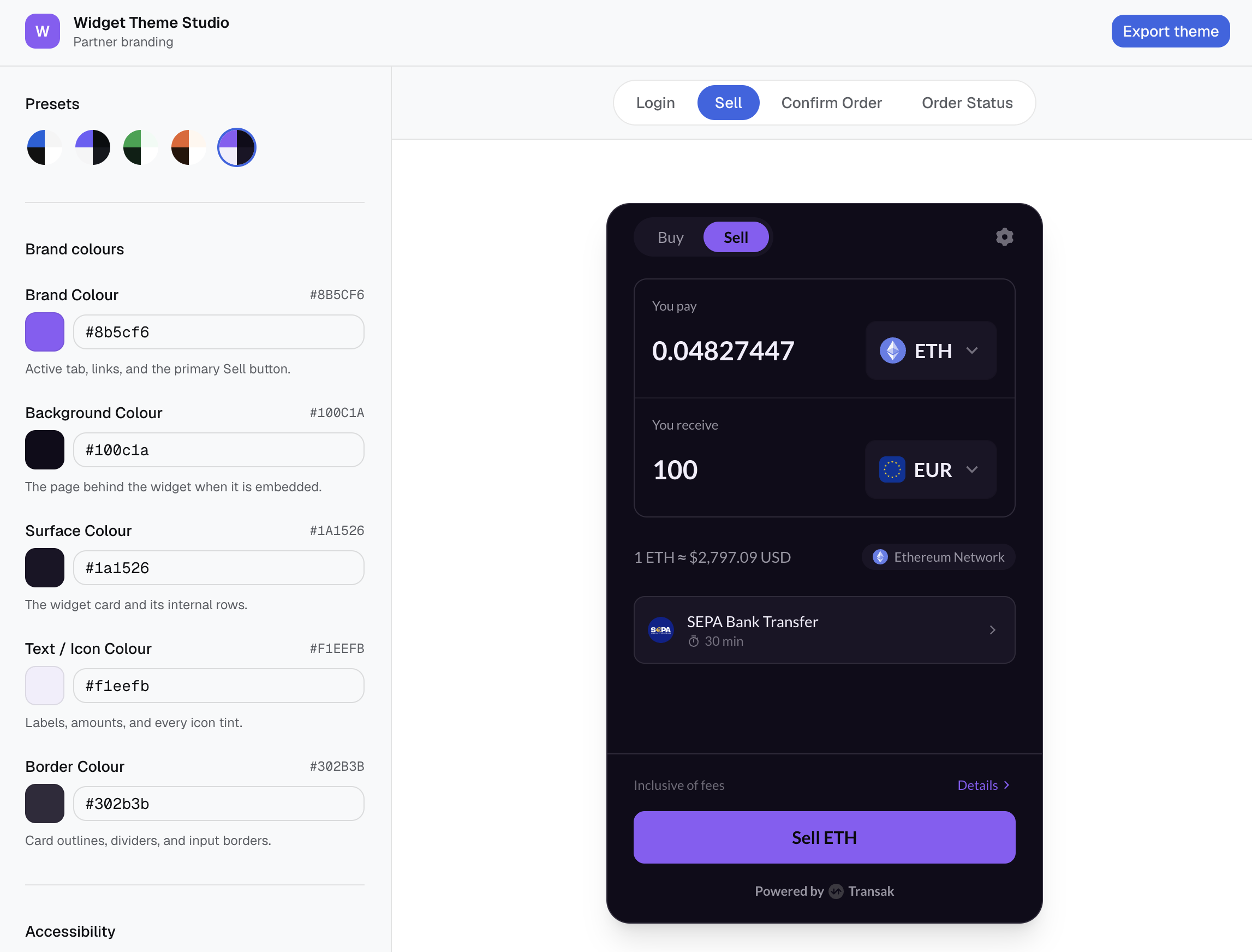
I designed and built a live theming tool that turns five brand colours into a fully branded checkout, previewed against the real product and exported as production ready code. I owned it end to end: framing the problem, designing the interaction, and building the frontend that shipped.
- Product design
- Frontend engineering
- Design systems
The challenge
The checkout widget partners embed on their own sites was hardcoded to a single brand palette. Every partner saw the same blue buttons and white cards, no matter what their own product looked like.
That mismatch showed up at the worst possible moment. A customer who trusted a partner's app would land in a widget that looked like it belonged to someone else, right as they were about to pay. Every new partner integration carried the same risk, and it always surfaced at the same point: right before someone was about to hand over their money.
The context
Product
An embedded checkout widget that exchange partners drop into their own apps, spanning login, sell, confirm order, and order status.
Users
Two groups: partner teams configuring the widget, most without a design background, and the end customers who see it mid purchase.
Business goal
Let each partner make the widget feel native to their own product, without opening an engineering ticket for every colour request.
Constraint
Before this project, the only way to change it was an engineer editing colour constants in the widget source and shipping a new build, with no way to preview the result against the real screens first.
The real flow
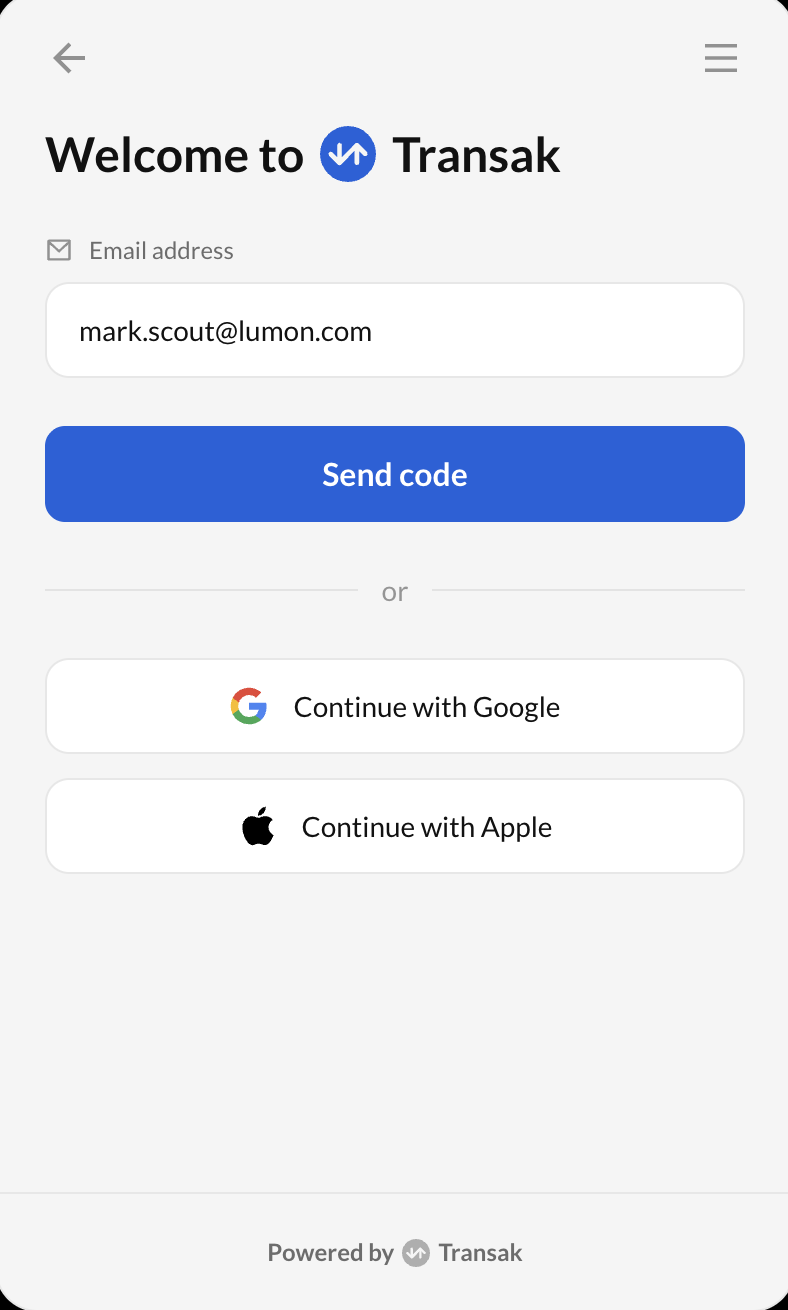
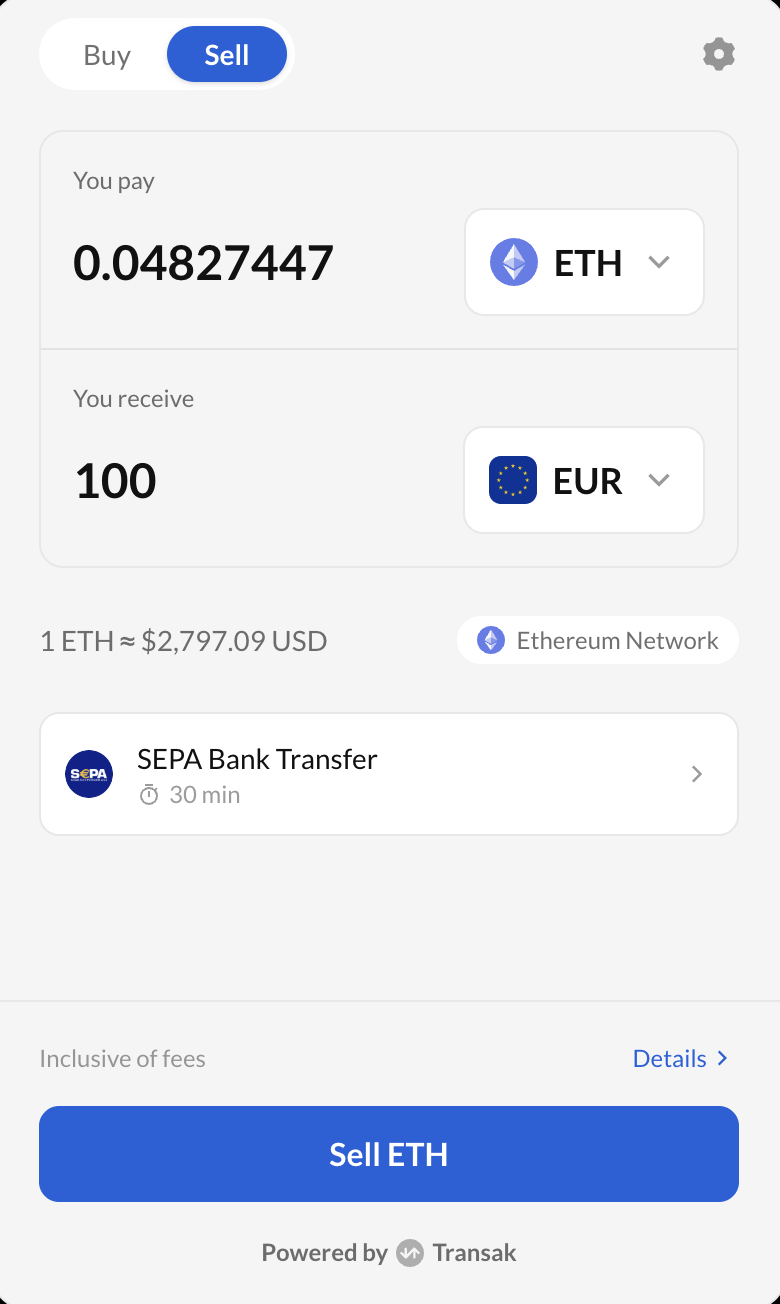
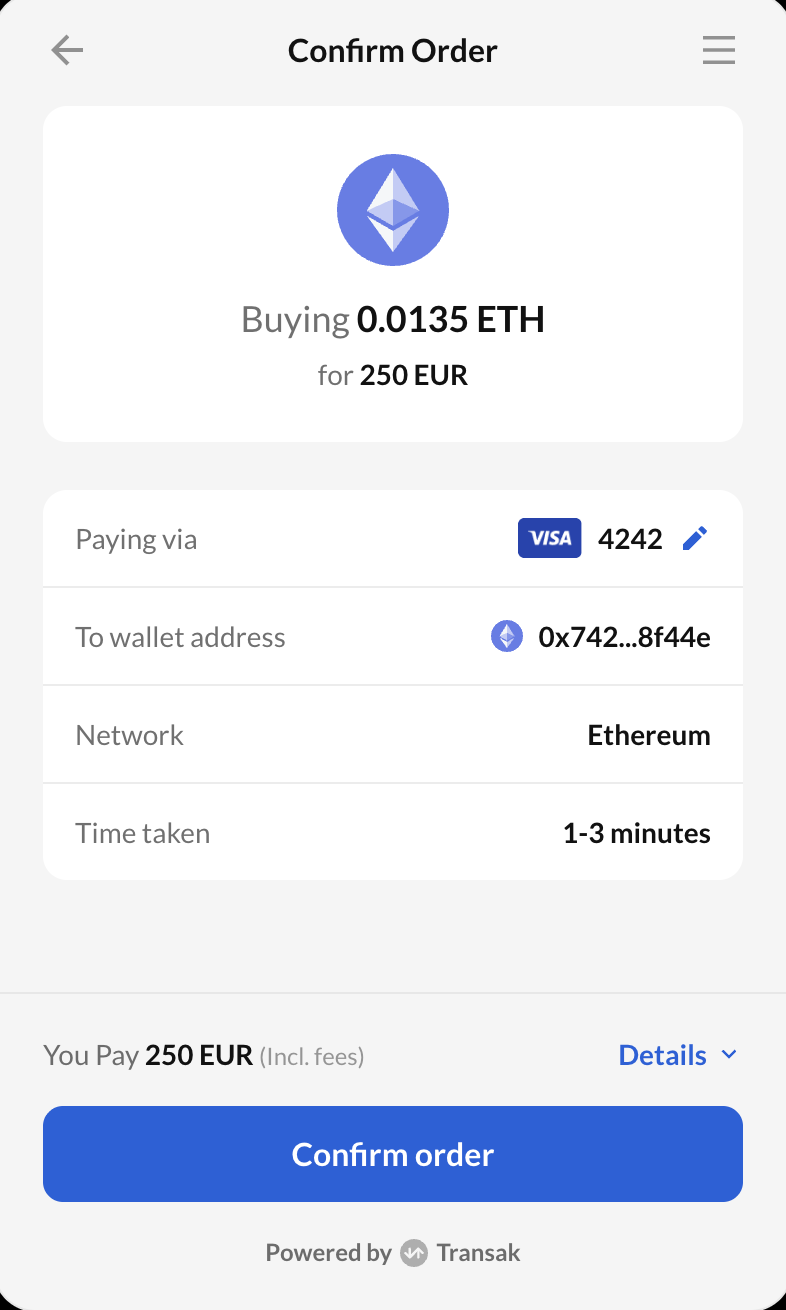
This is the production sequence a partner's customer actually walks through, in order. Three screens, one continuous decision: sign in, choose an amount, confirm the charge. Every one of them had to carry the partner's brand without breaking.
Made to be re-skinned
The same three screens, restyled with a single accent color and dark background. No layout changes, no rebuilt components — just the theme tokens a partner controls, applied consistently across every button, pill, and highlight.
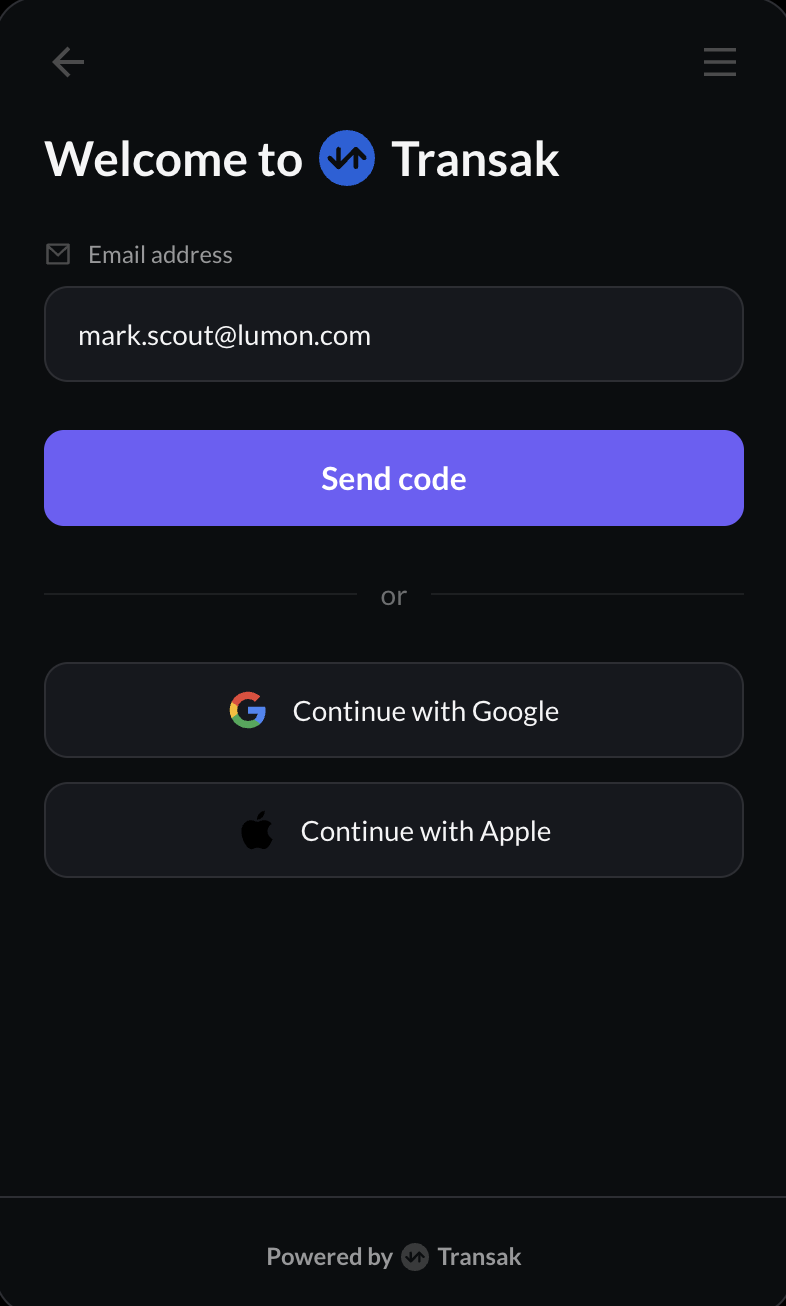
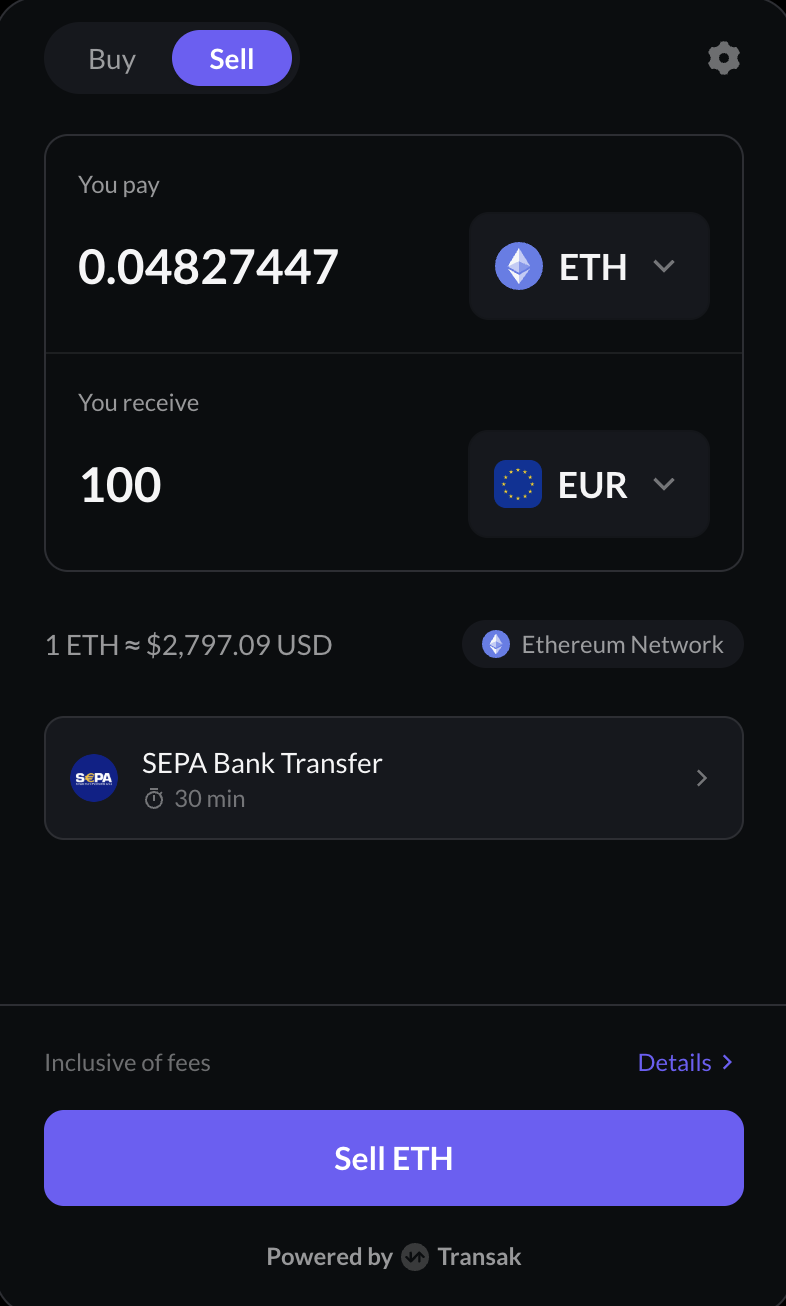
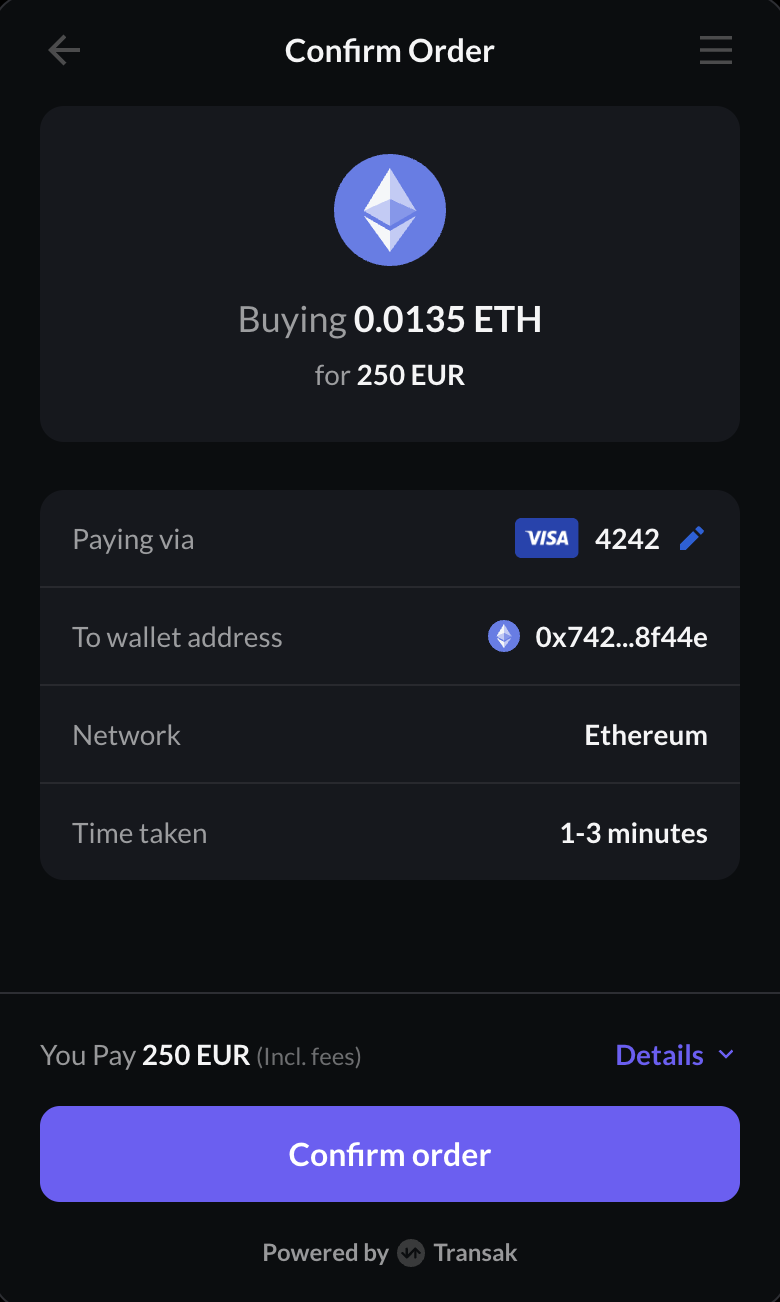
One theme, endless palettes
Swap the background and accent tokens again and the same three screens read as a completely different brand — a warm neutral surface with a terracotta accent, still light mode, still zero layout changes.
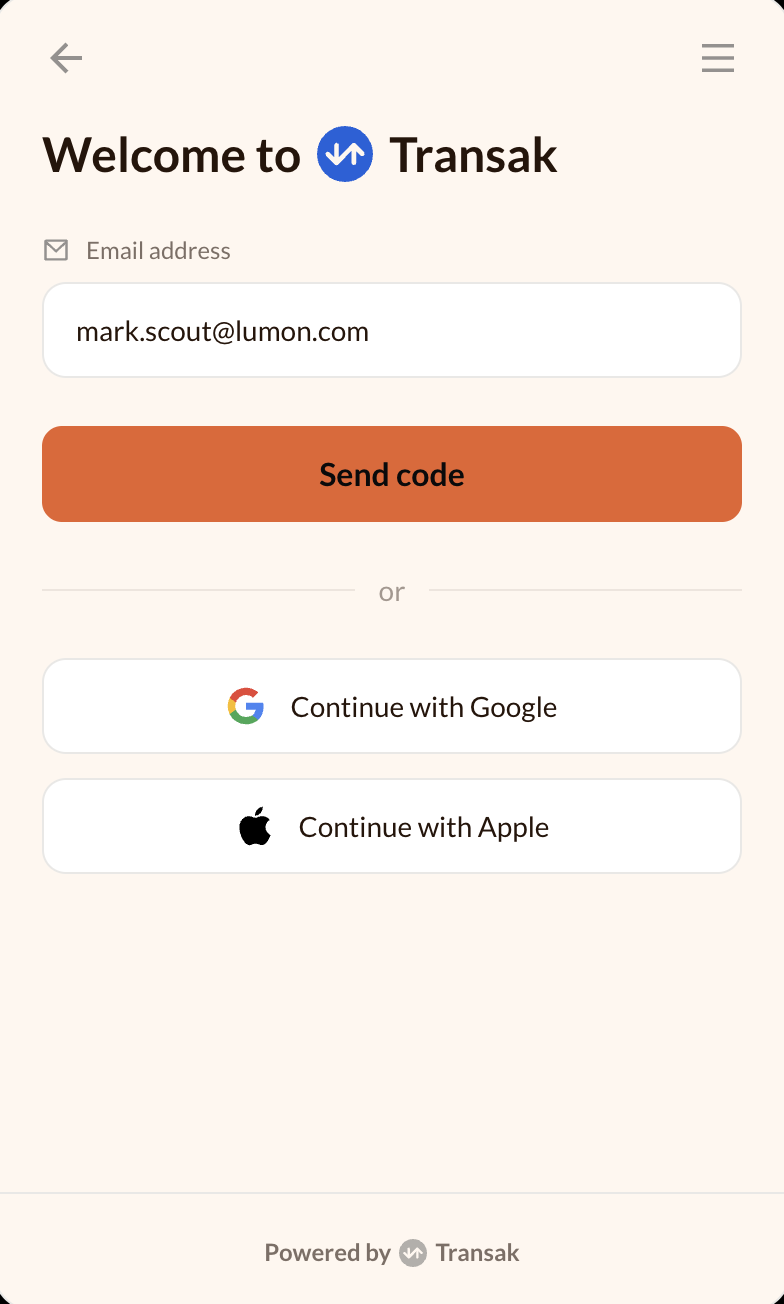
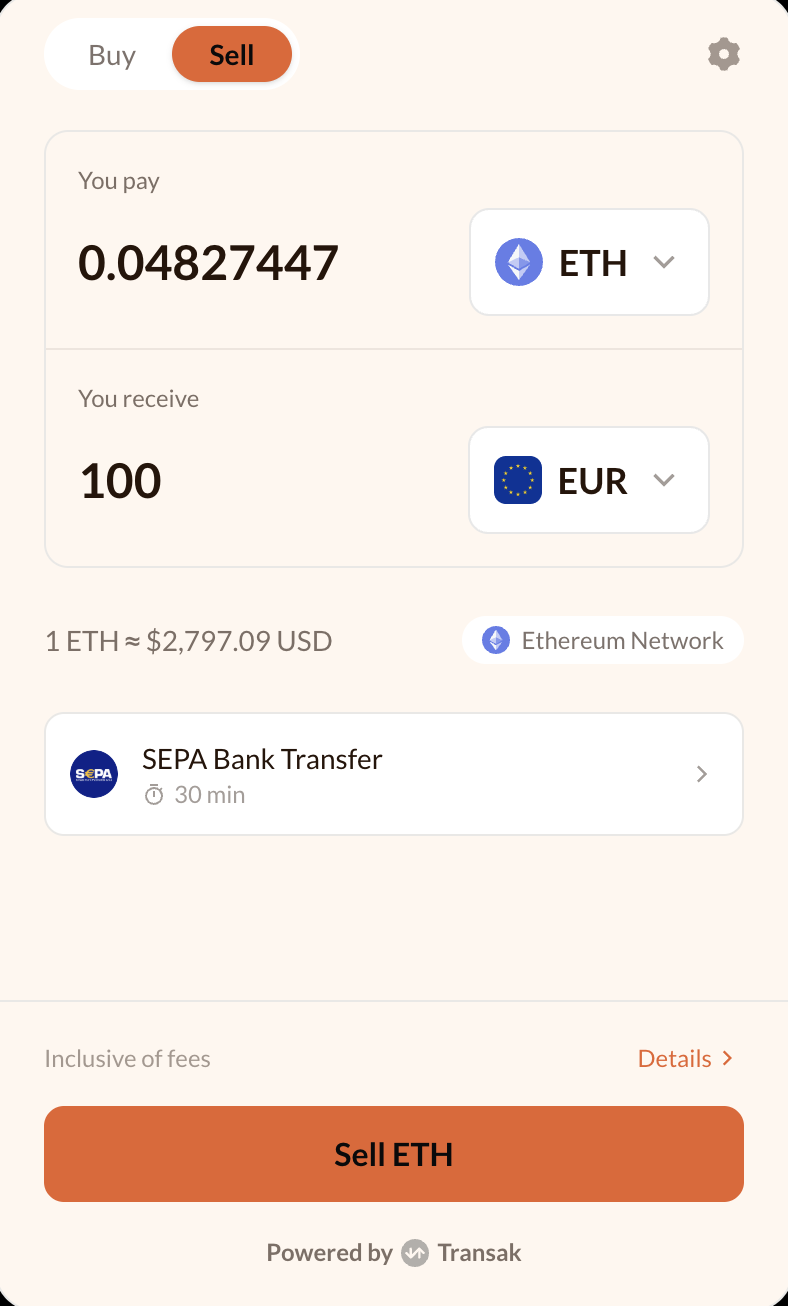
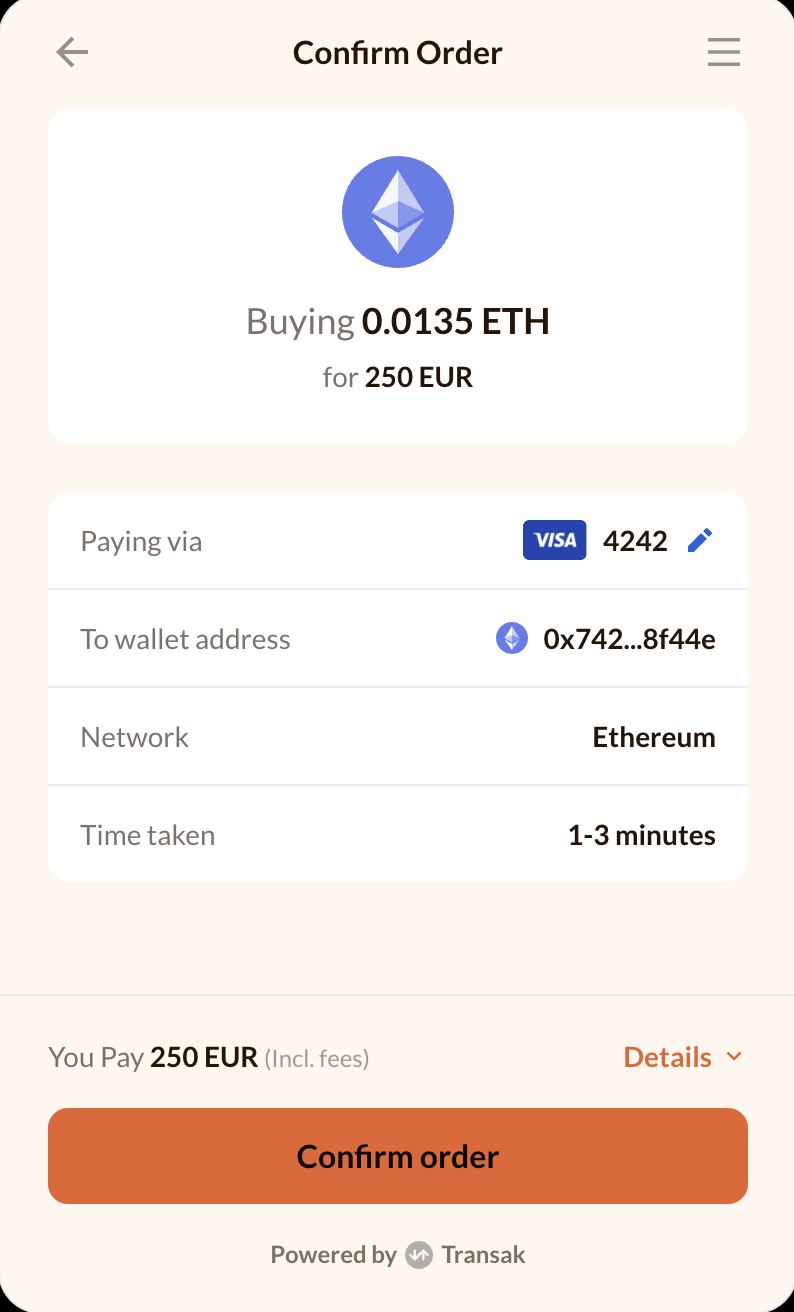
What I discovered
A mockup would hide the real risk
A simplified stand in could look fine and still miss the one row in the real product where a colour choice breaks. That is why I insisted the preview render the actual login, sell, confirm, and status screens, not stand ins.
Every exposed property is a decision offloaded
Partners configuring this do not have a design background. So instead of exposing every CSS property, I limited control to a small set of tokens, few enough to hold in your head, expressive enough to cover the whole flow.
A colour picker with no visible result is a guess
If a partner cannot see the consequence of a choice immediately, they either under commit or ship something broken. Every token change had to land on all four screens before anyone could export it.
The big opportunity
Three insights pointed at the same fix. A preview only earns trust if it renders the real screens. A configuration surface only works for a non-designer if it stays small enough to hold in your head. And a colour choice only means anything if its consequence is visible immediately, everywhere it applies.
Put together, they described one system: reduce the widget's entire appearance to a handful of tokens, and make every one of them render against the actual product before a partner could export it. That was the opportunity, not a better colour picker, but a small, honest model of the product's appearance that partners could own themselves.
Designing the solution
That opportunity became five tokens: brand, background, surface, text, and border. That set is small enough for someone without a design background to hold in their head, and it turned out to be exactly enough to cover every screen in the flow.
Preview across the whole flow
Every colour change updates login, sell, confirm order, and order status at the same time. That was a direct answer to the risk I cared about most: a change that looks fine on one screen and breaks another.
Accessibility built in
A contrast checker flags any text and background pair that fails WCAG AA before a partner can export it, so the failure mode moves from a support ticket to this screen.
Presets to start from
Five curated palettes give partners a working theme on day one, something to adjust rather than a blank canvas.
Export as code
Finished themes export as CSS custom properties or JSON, ready to drop into the widget config with no manual translation.
Iterations
Five tokens was the right model on paper. Getting the studio itself to prove that model, so a partner would actually trust it, took getting several things wrong first.
Started from the wrong default
The first version of the studio I shipped used dark mode, since that read as the more technical tool aesthetic. But partners configuring a customer facing checkout needed the studio itself to feel light, calm, and close to what they were actually building. I switched the default.
Cut the fake chrome
An early preview I built wrapped the widget in a mock browser bar and a card frame, to sell the idea that this was a webpage. Both turned out to be noise. I removed them so the widget reads as the real product, not a screenshot of one.
Rebuilt the buy and sell control
The first toggle I designed was two thin bordered pills that looked disconnected. I rebuilt it as a single filled track with a solid, shadowed active state, so it reads as one control instead of two buttons.
Found the missing token
Four colour tokens covered fills and text, but borders were still hardcoded. That gap stayed invisible until I tested a dark background and every card outline vanished. I added a fifth token, border, to close it.
Made four screens feel like one product
Login, sell, confirm, and status rendered at whatever height their content demanded, so switching screens caused a visual jump. I locked all four to a shared height, and moved the widget to Lato to match the production typeface, so the preview would feel continuous.
The impact
- Partners can theme and preview their checkout without filing an engineering ticket.
- Every colour choice is checked against real login, sell, confirm, and status screens before export.
- Contrast issues surface in the studio, not in a support ticket after launch.
- Exported tokens drop straight into the widget config as CSS variables or JSON — no manual translation.
See the full studio. Pick a preset, choose a colour, and watch all four screens update together.
Open the live toolWhat I learned
A token model is only as good as its coverage. Every gap I found, a missing border token, a preview that did not match production, came from something real being left out of the abstraction. Knowing that now, here is what I would extend next, using the same test.
Typography tokens
Colour is only part of a brand. Letting partners pair their own typeface would close the gap that Lato still leaves open.
Team presets
A workspace should be able to lock a palette once and have every teammate build against the same theme, not five slightly different ones.
A public API
Themes set in the studio should be settable once and reused everywhere the widget is embedded, without a partner touching this interface again.